A Shopify app by Tidy Button
Reordo: Purchase Orders
Purchase orders, receiving and stocktakes for small shops. Made for shops that used Stocky.
Free plan available. Paid plans start with a 14-day free trial. Opens the Shopify App Store.
What Reordo does
Reordo helps a small shop order from suppliers and keep stock right. Save each supplier's cost, minimum order and pack size. Build purchase orders, print them or email them to the supplier, and receive part of an order when it arrives. Count stock with a barcode scanner and see the difference before you apply it. Import your Stocky CSV to bring your suppliers and orders over. On Pro, get reorder suggestions based on recent sales.
Who it is for
- Shops that buy stock from suppliers and want orders, deliveries and costs in one place.
- Shops and point of sale retailers that count shelves with a barcode scanner.
- Shops that used Stocky, which shut down on 31 August 2026, and need somewhere to bring their suppliers and purchase orders.
Features
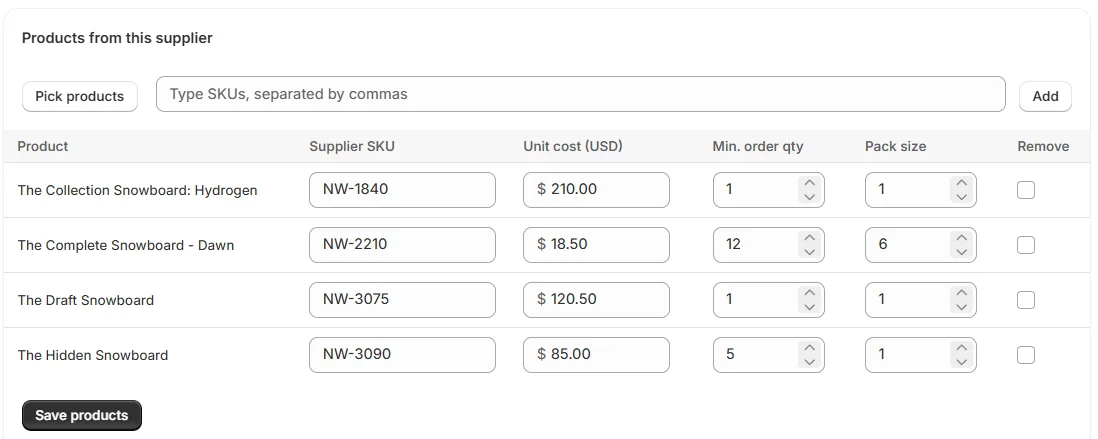
Suppliers with their own cost, minimum order and pack size
Free plan
Save what each supplier charges and how they sell, product by product. Purchase orders for that supplier start from those costs.
Purchase orders from draft to received
Free plan
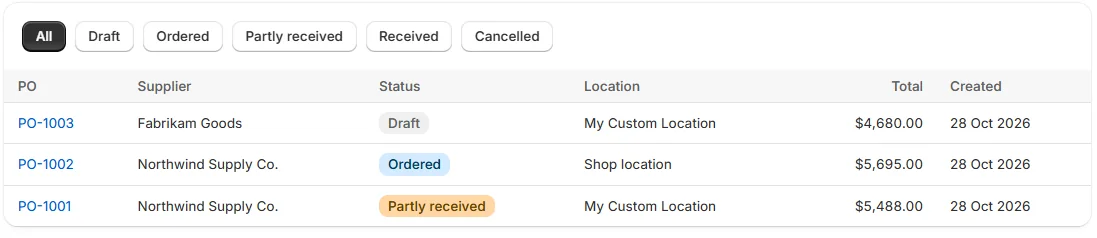
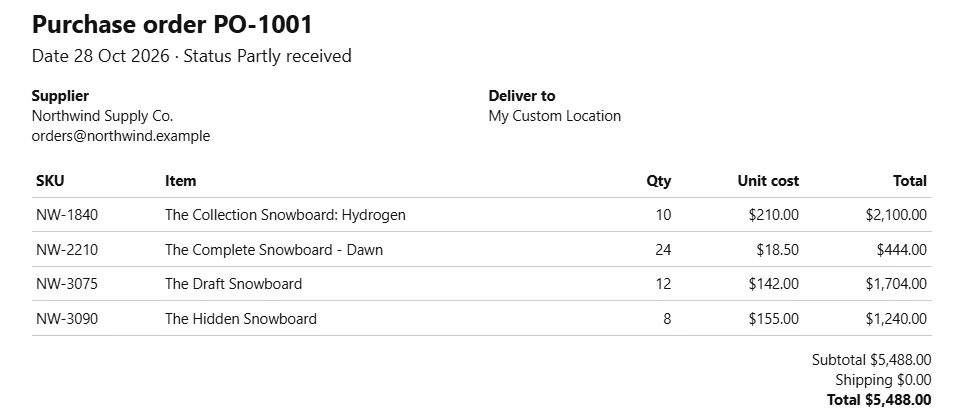
Build an order for one supplier and one delivery location, mark it as ordered, and follow it through Partly received to Received. The Free plan includes 10 purchase orders a month.
Receive part of an order
Free plan
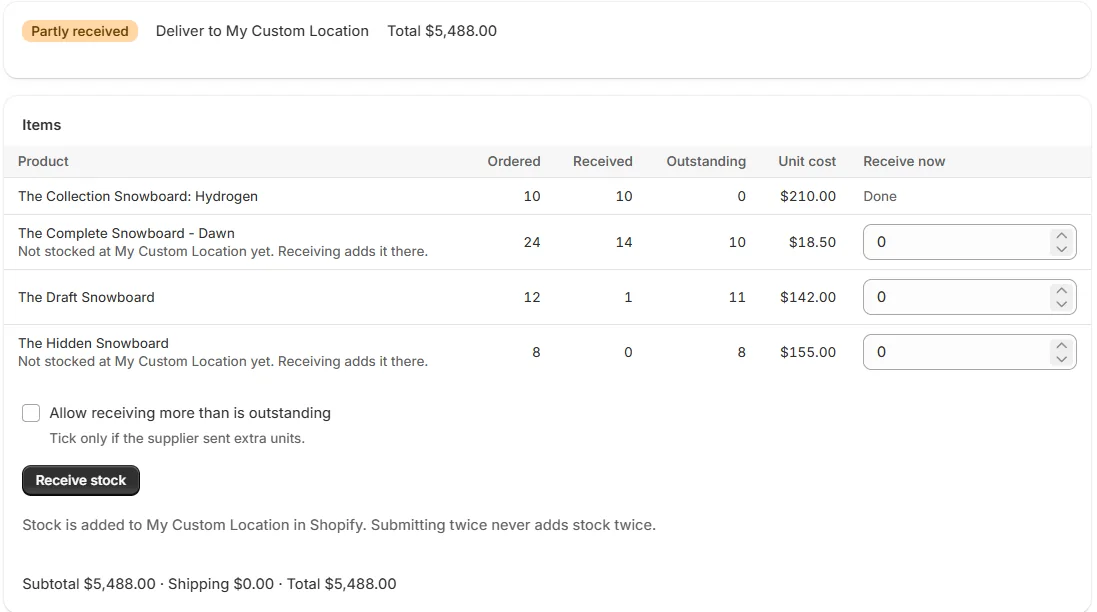
Type what arrived and Reordo adds it to Shopify stock at the delivery location. The rest of the order stays open. Receiving twice by mistake never adds stock twice.
Print it or email it to the supplier
Free plan
Print a clean order or save it as a PDF, copy a ready-made email, or export a CSV. Reordo prepares the email and you send it from your own email app.
Stocktake with a barcode scanner
Starter plan
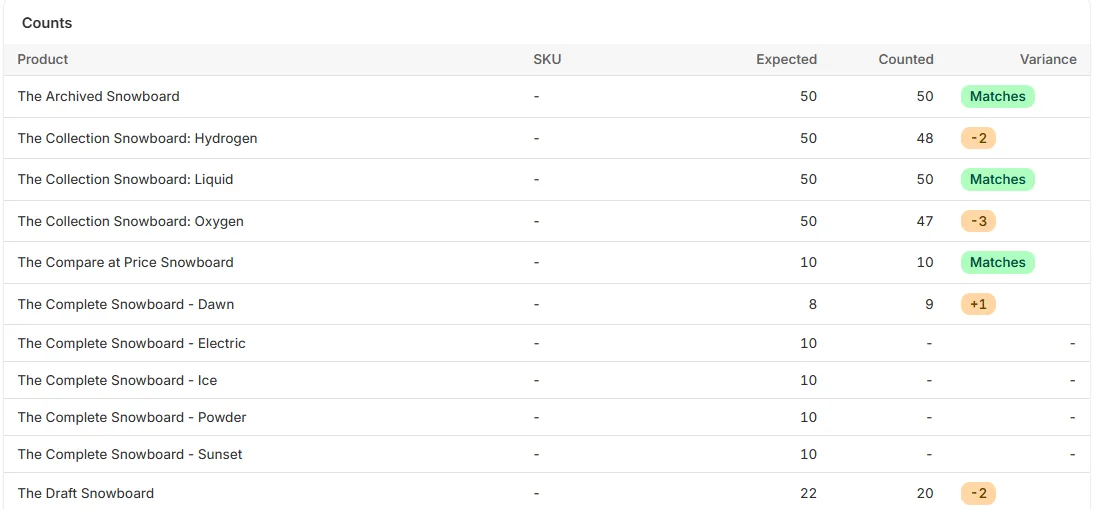
Scan or type counts, see the difference for each product, and apply the count to Shopify. Sales made during the count are never overwritten.
Import your Stocky data from a CSV
Starter plan
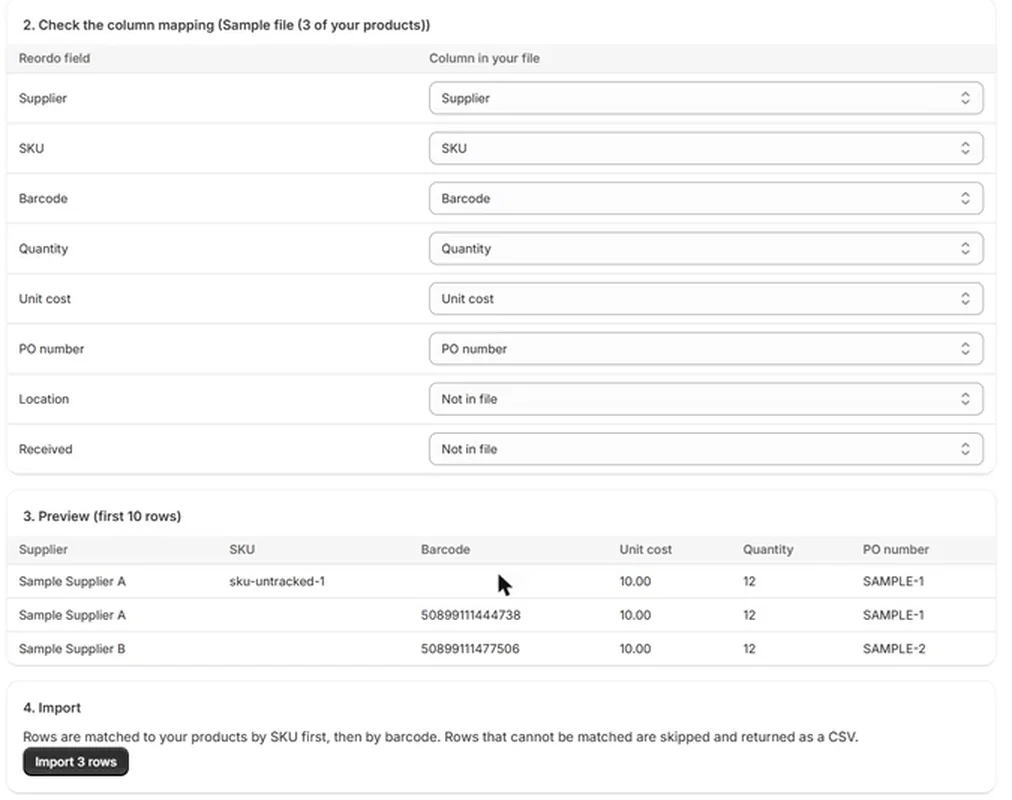
Bring suppliers with their costs, or past purchase orders, over from a Stocky export. Columns are matched automatically and you see a preview before anything is imported.
Reorder suggestions and one-click draft purchase orders
Pro plan
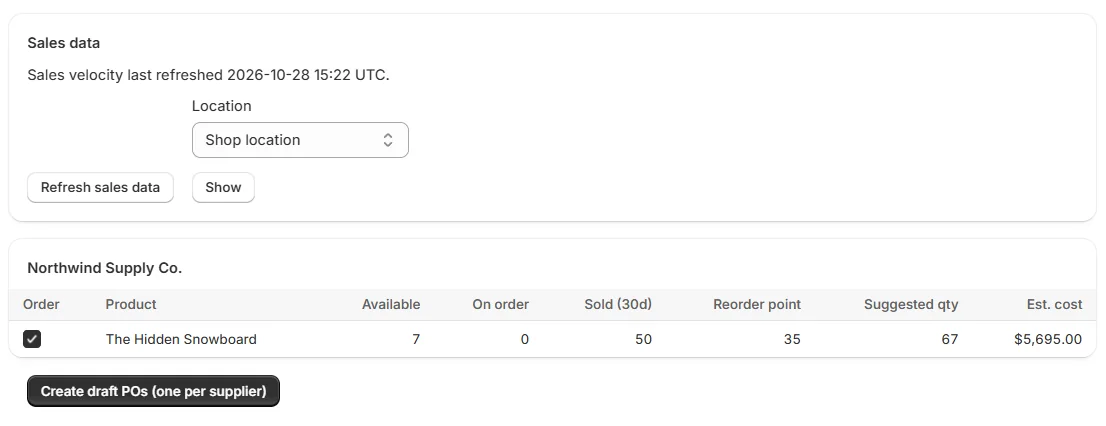
See which products to reorder from recent sales, supplier lead time and stock on order, then create one draft order per supplier.
Plans
Free
$0
Free to use
- 10 purchase orders a month
- One location
- Suppliers
- Receiving
- CSV export
Starter
$24.99 / month
14-day free trial
- Unlimited purchase orders
- All locations
- Stocktake
- CSV import
Pro
$59 / month
14-day free trial
- Everything in Starter
- Reorder suggestions
- One-click draft POs
Stocktake and CSV import need Starter or Pro. Reorder suggestions and one-click draft POs need Pro. There is no annual contract, and you can change or cancel your plan at any time. Billing is handled by Shopify.
Guides with screenshots
Each guide walks through one job step by step, with screenshots of the real app.
- How to create a purchase order in Shopify
- How to receive part of a purchase order and update stock in Shopify
- How to do a stocktake in Shopify with a barcode scanner
- Stocky replacement: import your Stocky suppliers and purchase orders
- How to save supplier cost, minimum order and pack size in Shopify
- How to print or email a purchase order to your supplier
- How to see what to reorder in Shopify (reorder suggestions, Pro plan)
Frequently asked questions
What does Reordo cost?
The Free plan includes 10 purchase orders a month, one location, suppliers, receiving and CSV export. Starter is $24.99 a month and Pro is $59 a month, and both start with a 14-day free trial. There is no annual contract.
Which features need a paid plan?
Stocktake and CSV import need Starter or Pro. Reorder suggestions and one-click draft POs need Pro.
Does Reordo replace Stocky?
Stocky shut down on 31 August 2026. Reordo covers purchase orders, receiving, stocktakes and reorder suggestions, and it imports Stocky CSV exports. Shopify's admin also has built-in purchase orders and stock counts now, so compare what you need.
Will receiving the same delivery twice add the stock twice?
No. Each receive form has a one-time key, so submitting twice never adds stock twice.
What data does Reordo store?
Your suppliers, purchase orders, receipts, stocktakes and settings, against your shop. From orders it reads only the quantity sold of each product. It does not read or store customer names, emails, phone numbers or addresses.
What happens if I uninstall?
Reordo loses access straight away. Shopify then sends a shop redact request, and all data held for your shop is deleted.
What does Reordo not do yet?
It does not send email itself, convert between currencies, handle bundles or kits, transfer stock between locations, or run inside Shopify POS.